Meet the origins.
Open one page in a fresh Chromium session. See the origins and resource types it requests during the capture.
 blackoutlab↗
Keep the lab running
CONTROLLED OUTAGES. USEFUL ANSWERS.
Switch off a dependency in a fresh test browser. See what disappears, inspect the requests, and keep the evidence.
Open source. MIT licensed. The browser-driving app runs on your computer.
One small switch.
A more useful conversation.
THE WORKSPACE / REAL LOCAL CAPTURE
A SMALL EXPERIMENT, END TO END
No resilience score.
Something you can actually inspect.
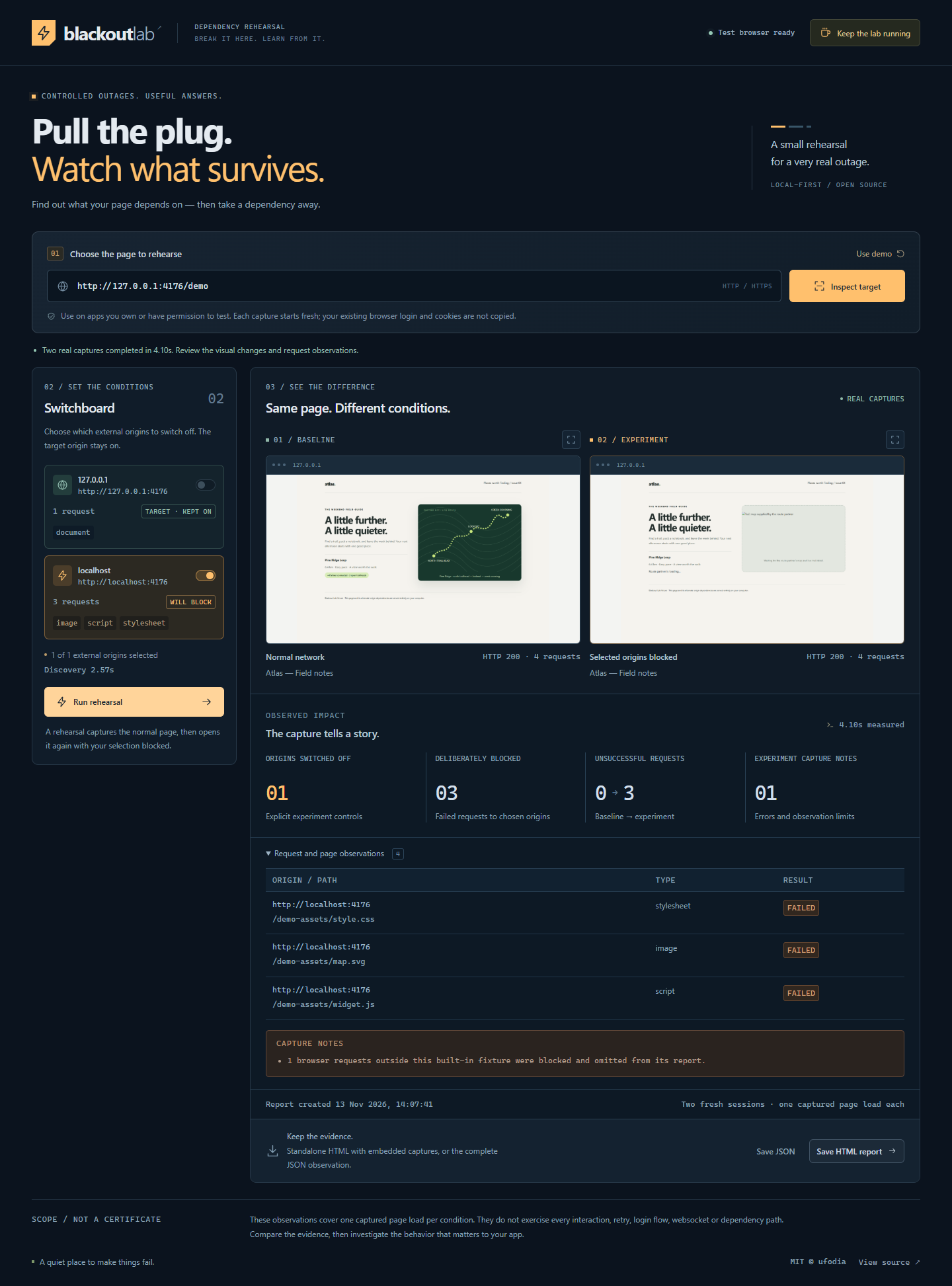
Open one page in a fresh Chromium session. See the origins and resource types it requests during the capture.
Select external origins to block. Your target’s own origin stays on, so you can isolate a dependency.
Compare a normal page load with a second fresh capture that aborts requests to the selected origins.
Save the screenshots and observations in a standalone HTML report or a JSON file, right on your computer.
YOUR COMPUTER IS THE LAB
The public site introduces the project. The working application starts locally, with its own browser-driving backend.
git clone https://github.com/ufodia/blackout-lab.git
cd blackout-lab
npm ci
npx playwright install --no-shell chromium
npm run dev
Using Windows PowerShell? If script policy blocks the launchers, use
npm.cmd and npx.cmd. Keep the local server running while you use
the workspace.
The included local demo makes the first rehearsal independent of a changing internet service.
Open the app, select the built-in target, and let the fresh browser discover its requests.
Select the demo’s external fixture origin in the switchboard. Keep the target’s own origin on.
Inspect the missing map, review the request observations, and save the report.
A CLEAR BOUNDARY
Captures do not copy your everyday browser login or cookies. Use pages and test environments you own or have permission to examine.
There is no hosted audit service or cloud report upload. The test browser still contacts the target and its unblocked dependencies. Reports can contain page content and URL paths; review them before sharing.
Each condition captures one navigation and a bounded observation window. It does not exercise every interaction, login flow or WebSocket. A complete-looking screenshot is not a resilience certification.
OPEN THE NOTEBOOK
The source, boundaries and reproducible checks are documented in the repository.
INDEPENDENTLY MAINTAINED BY UFODIA
A coffee helps maintain browser compatibility, regression tests and clear documentation. Support is voluntary; everyone gets the same open-source tool.